CMOC 2
C Learners with long, costly journeys
M feel the course is within reach
O and keep attending
R when travel is paid for
 Oriel
Version 0.97.1 beta out now
Oriel for realist evaluation and review
Oriel helps you ask what works, for whom, in what circumstances, and why. Write an initial programme theory, link each part of it to your evidence, and test and refine it in rounds, with every earlier version kept.
Realist tools work in a realist evaluation, a realist review, or alongside behavioural and implementation frameworks in the same project. Oriel is free for Windows and Mac.
Who it’s for
Realist tools help you explain what works, for whom, in what circumstances, and why. They suit several kinds of project.
Build a programme theory from interviews, observations, and documents, then test it against your own data.
Build and test a programme theory from published studies, using the study review tools Oriel shares with evidence synthesis.
Use realist tools alongside behavioural and implementation frameworks in one project, so CMOCs and framework terms link to the same evidence.
Import a programme theory from a table, or start from an implementation research or behaviour change logic model, then test it against your material.
Your route
Your home page sets out the same five steps for every project. In a realist project, each one becomes a stage in developing your programme theory.
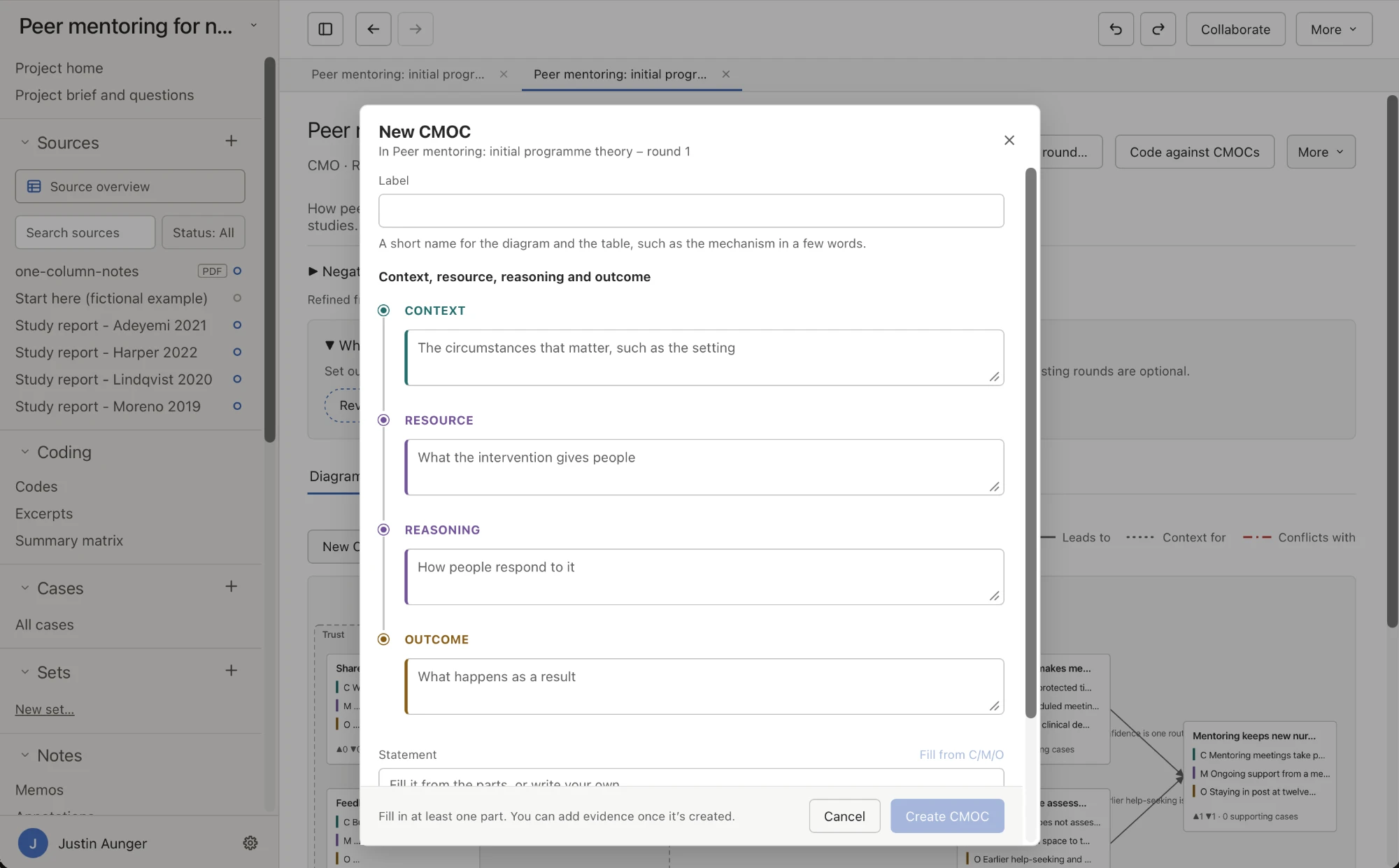
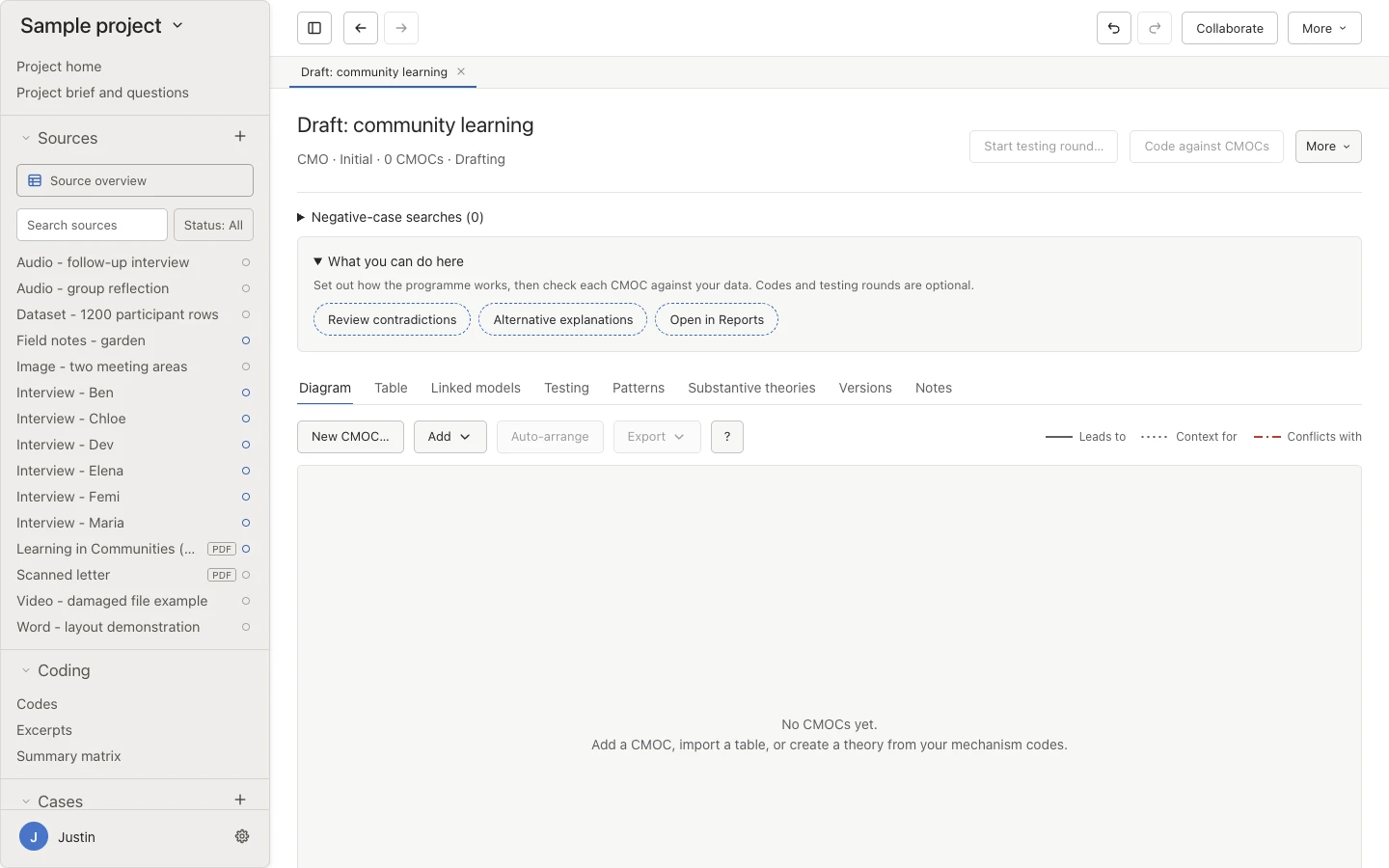
Choose realist evaluation or realist review when you create a project, and Oriel suggests Realist tools for it. You can also switch them on later in any project.
The realist workflow
Build realist programme theory from an initial explanation to evidence, testing, and refinement, and connect it to behaviour change techniques and mechanisms of action.
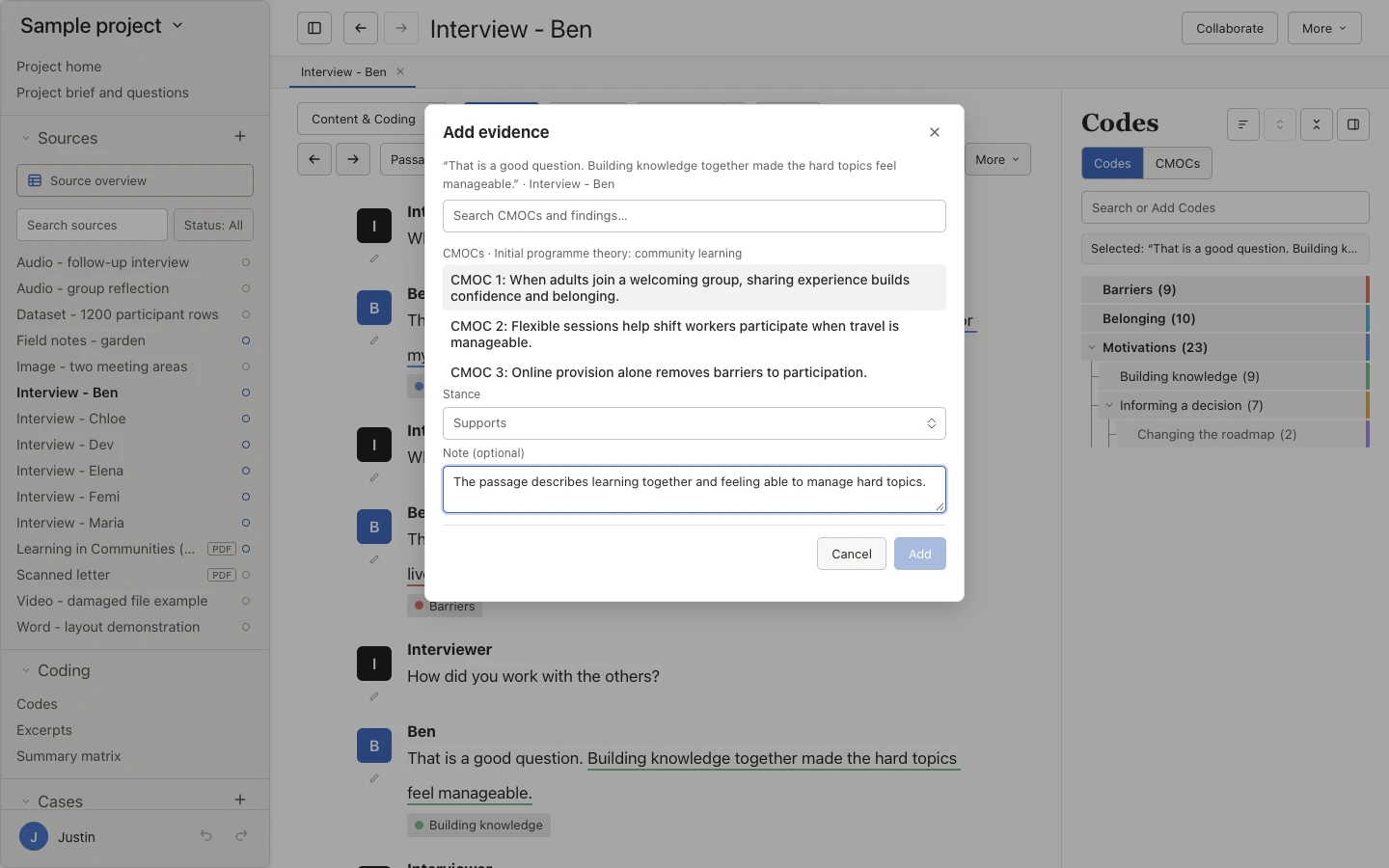
Collect evidence straight from a CMOC page. Producing a refined theory is a single step that you can undo.
Choose realist evaluation or review, write an initial programme theory, import one from a table, or build it from codes. Use CMO, ICAMO, or your own set of parts, with optional separate resource and reasoning fields. You can also use an implementation research logic model, a behaviour change logic model, or a conceptual model that maps how your themes relate.
Choose which parts each row has, what they are called, and their order, for example Strategy, Context, Mechanism, Outcome (SCMO). Each part still works as the realist part it started as, so evidence, codes, and framework terms link as usual, and your names appear in the table, diagram, reports, exports, and suggestions. The parts are fixed once testing starts, so every round tests the same ones.
Connect passages to the whole CMOC or to a component, with a role, a stance, and a note. Rate source rigour and relevance separately from the rigour of the whole CMOC.
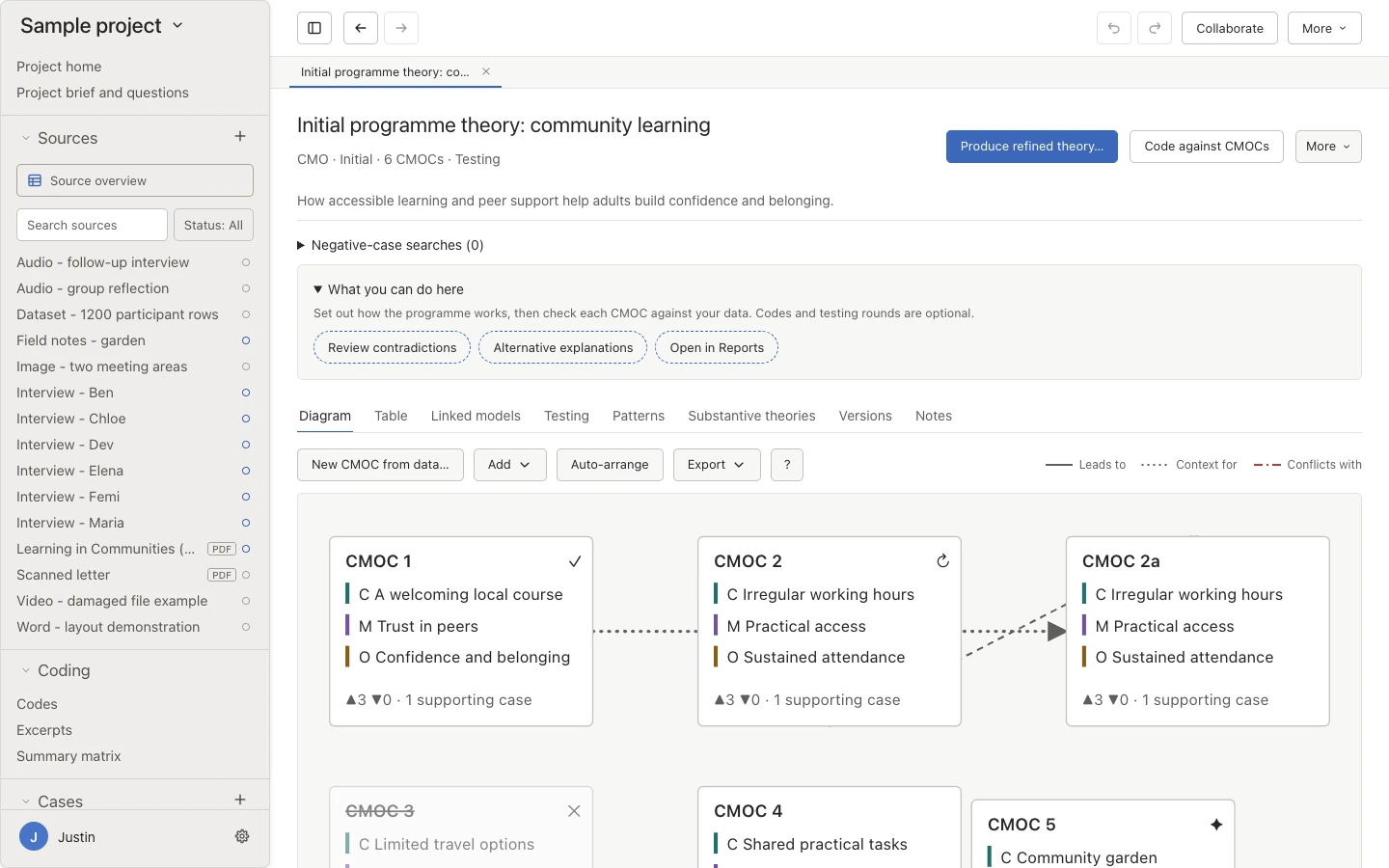
Lock the original wording, then confirm, refute, refine, split, merge, or set aside each CMOC with reasons and evidence. Add emergent CMOCs found in the data.
Work in a diagram, table, or testing board. Save versions, compare them, and export a theory development log.
Link behaviour change techniques, mechanisms of action, settings, populations, behaviours, and framework terms to the parts of a CMOC, with their definitions and identifiers, alongside your own wording.
Pin the project to an ontology release, review changes before updating, and include linked terms in CMOC tables and reports.
CMOC 2
C Learners with long, costly journeys
M feel the course is within reach
O and keep attending
R when travel is paid for
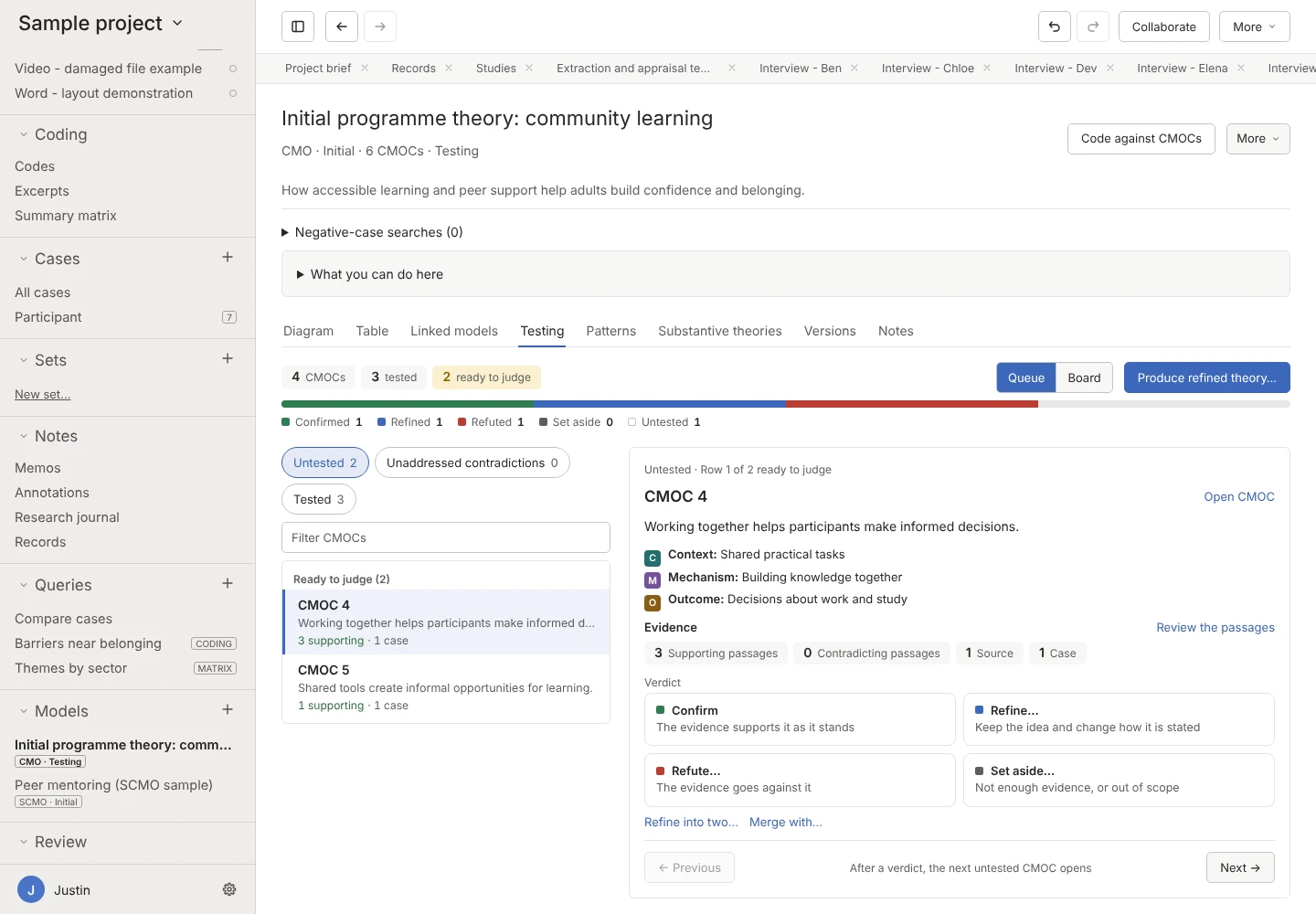
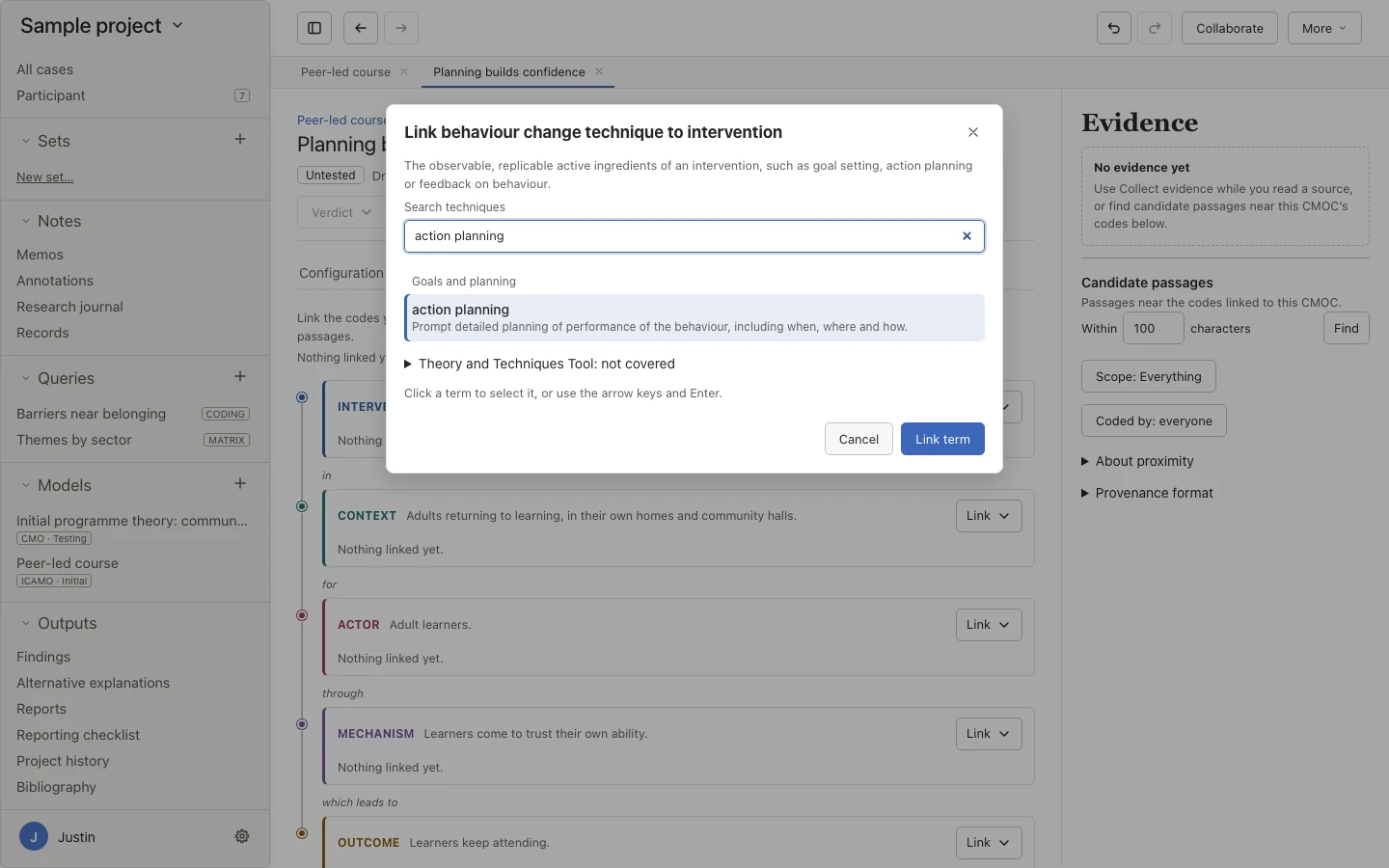
Behaviour change techniques and mechanisms of action come from the Behaviour Change Technique Ontology. The programme evaluation page covers the behavioural frameworks in full.
Realist review
A realist review uses the study review tools Oriel shares with qualitative evidence synthesis, alongside your programme theory.
In a realist review, your home page adds steps for framing your programme theory and a place to record review decisions, so the searching and selecting you do outside Oriel stay part of your account.
A study with several papers counts once, and a paper describing several studies links to each. Create studies from sources in bulk, merge them, record sample overlap, and import screening outcomes from CSV or Excel, or set the inclusion status of several studies at once. Oriel doesn’t match studies by title.
Each field autosaves while the report stays open beside the form. Mark a field Not reported or Not applicable, and add exact supporting quotations from your selection.
Record structured appraisal, such as methodological limitations, question by question with your rationale. Oriel doesn’t calculate a quality score.
Once two reviewers have submitted, compare their values side by side, agree what matches in one step, and resolve the differences with a note. If anything changes later, the agreement is marked Needs review.
Scope any query to studies, give each study its own matrix column, and group excerpts by study. A quotation added to a finding records that study’s contribution, with its codes.
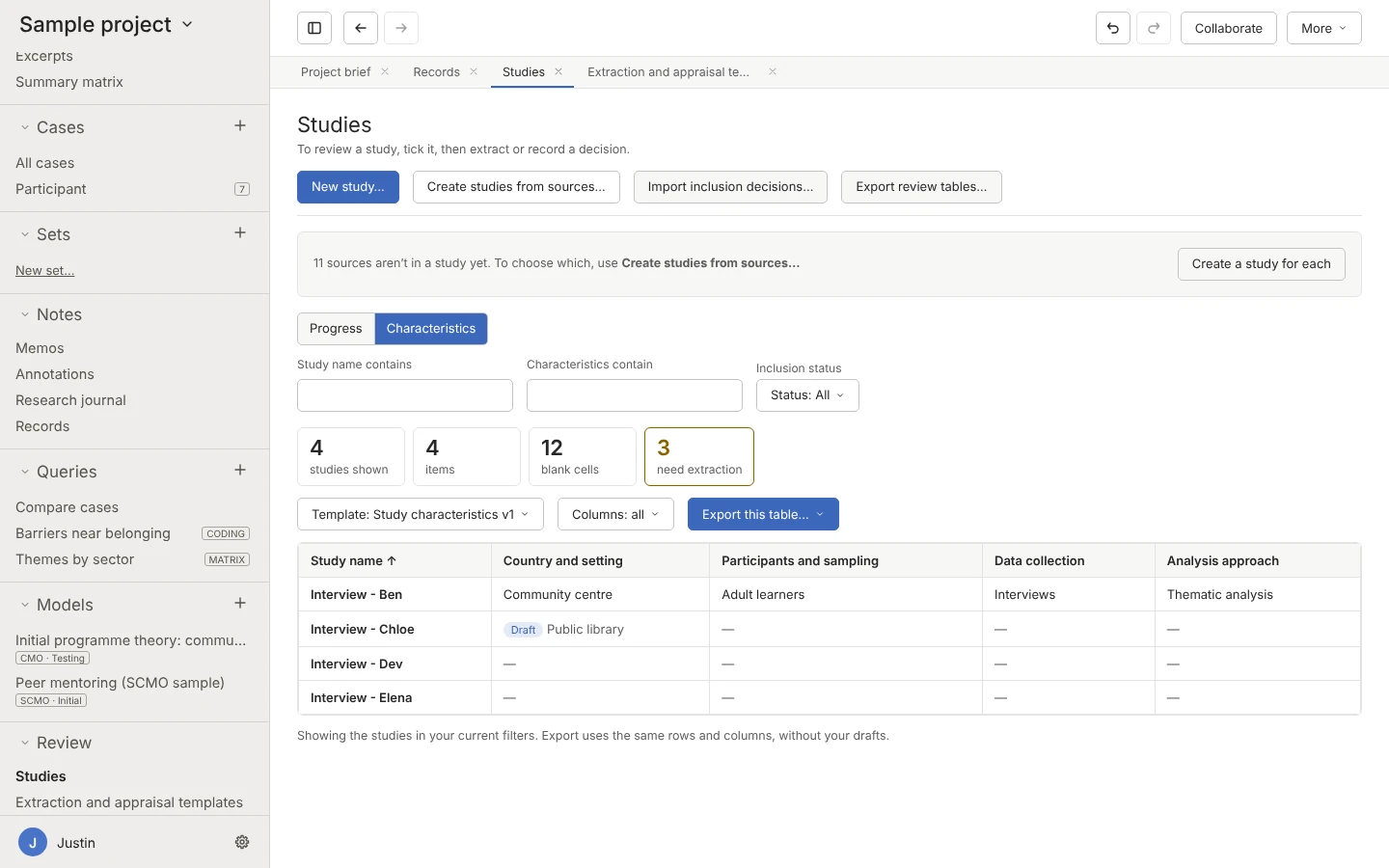
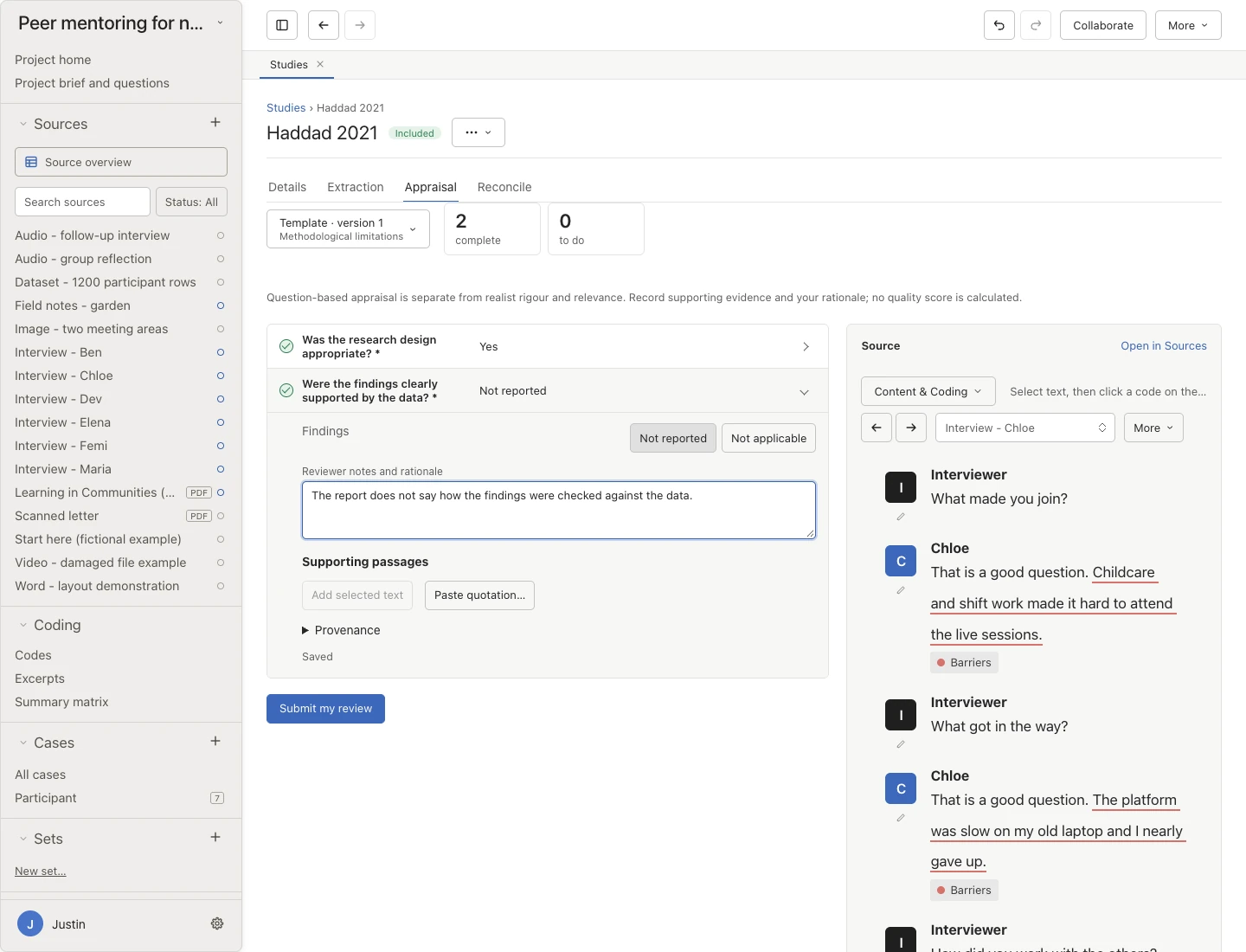
The qualitative evidence synthesis page walks through the full review pathway, including the demo for reconciling two reviewers.
Along the way
Optional local AI and a few analysis tools support realist work without making decisions for you.
Request a CMOC from selected passages, codes, or findings, or a revision informed by linked evidence, and review each draft.
Local AI can suggest terms for a code or CMOC, or find framework elements in a study. Each suggestion shows its reason, and nothing is linked until you accept it.
Offer a code’s passages as first evidence for a CMOC, or add an explanation you find in the data, with each passage’s stance set as you go.
See when new codes, findings, or CMOCs stop appearing across ordered sources, with the Guest, Namey, and Chen (2020) and Francis et al. (2010) stopping rules.
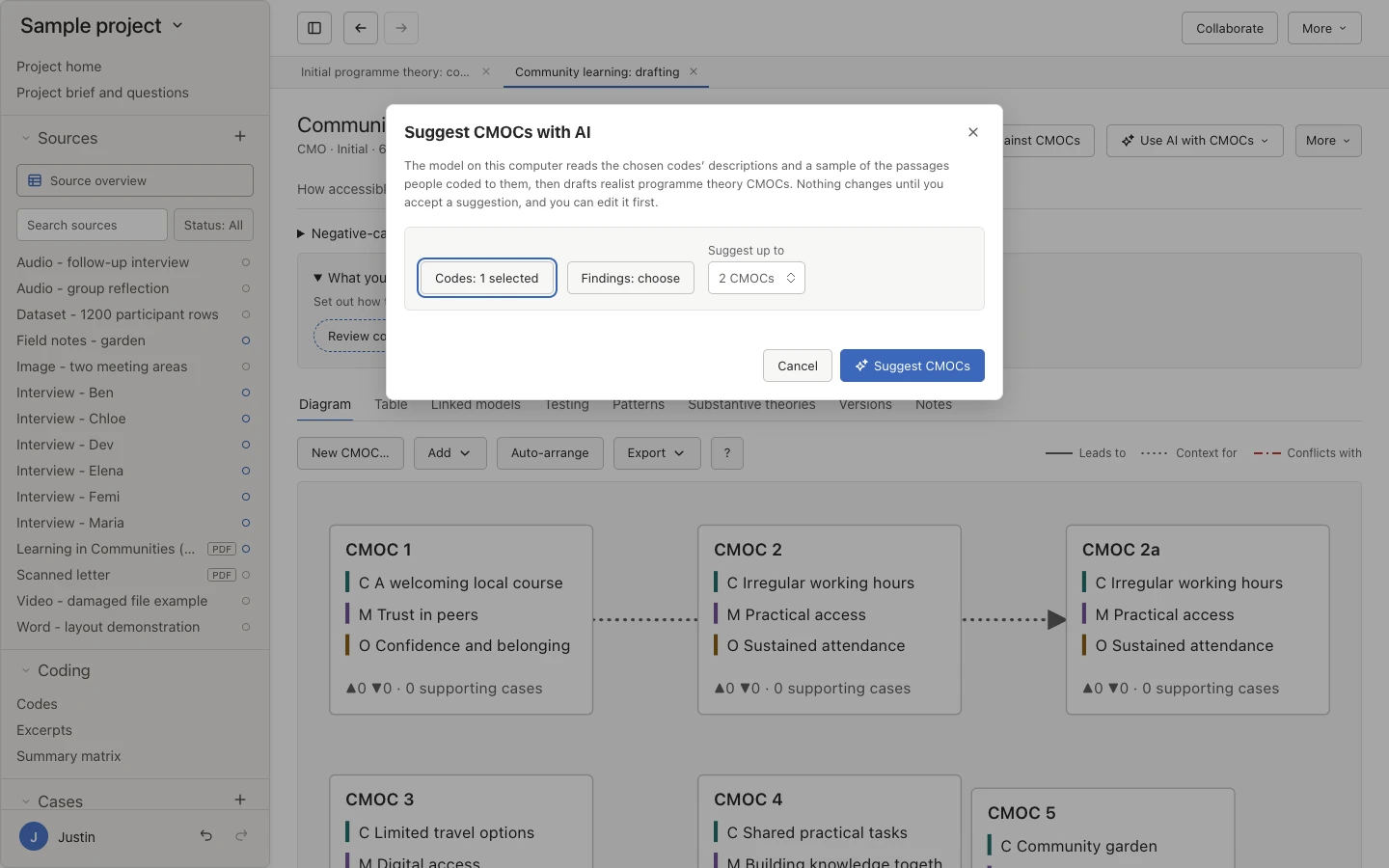
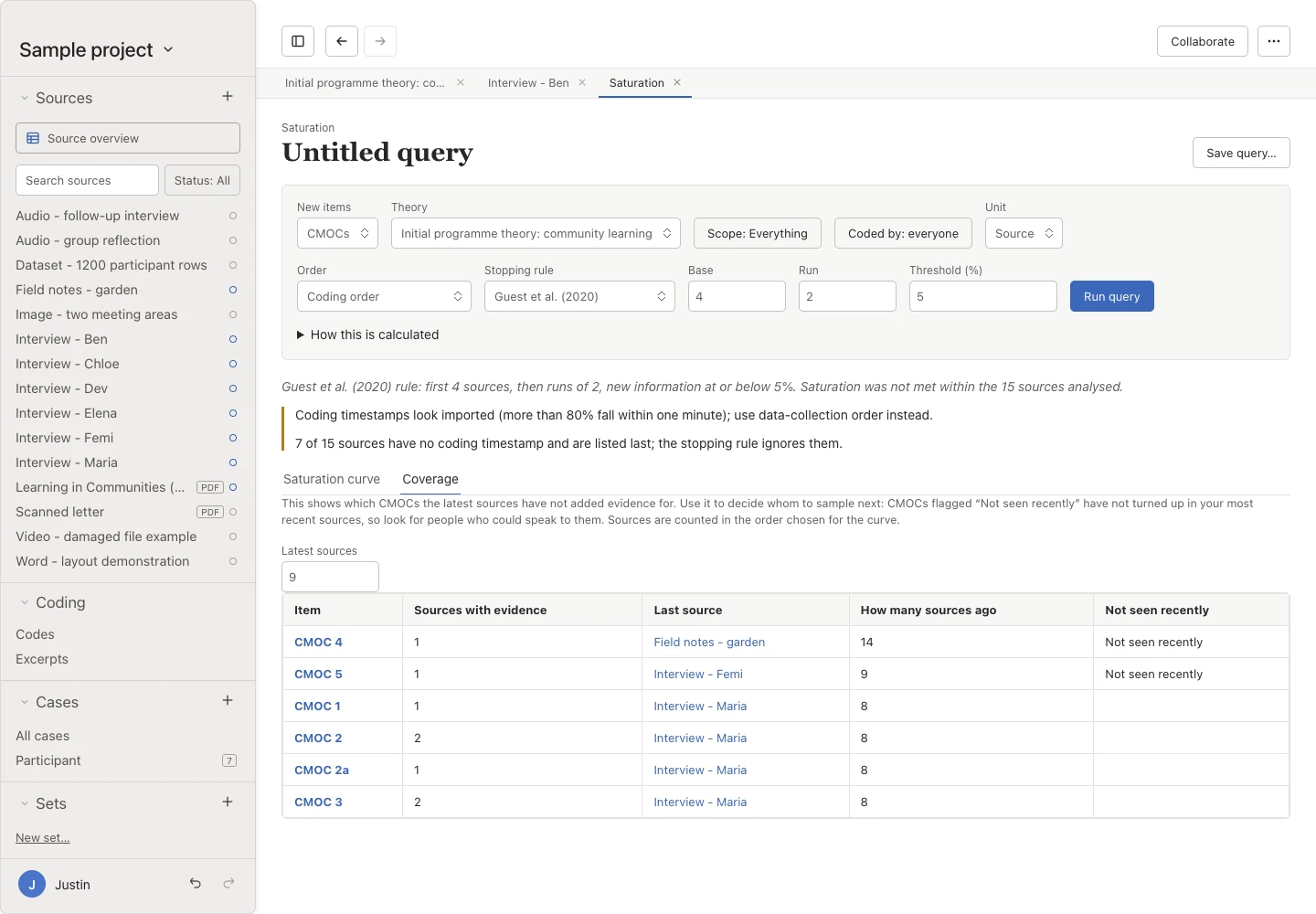
Local AI is optional and runs on your own computer. Read more about AI suggestions.
Write it up
Export your refined theory with the evidence and decisions behind it, and check your report against the realist reporting standards.
Choose RAMESES II for a realist evaluation, or RAMESES for realist synthesis, and note where your project, or one section of your findings, addresses each item. You decide what has been addressed. Oriel doesn’t mark items for you or give a score.
Record other ways the evidence could be read, whether for a finding, part of a model, a research question, or a whole model. For each one, note whether it was examined and not supported, retained as plausible, or incorporated into a finding, and why.
Export findings to Word, PDF, or Markdown, with quotation details and optional appendices, such as a findings-by-cases evidence table and a log of the negative cases you considered. You can also organise the report by research question.
Export a quotes file, then use the free Oriel Quotes for Word add-in to insert coded passages as quotes with pseudonymised participant labels. You can add a participant table and refresh the quotes when your analysis changes. The add-in only reads the file you choose.


Worked example
The fictional community learning project explains how accessible learning and peer support help adults build confidence and belonging. Its initial programme theory has five CMOCs. Here is what happens to one of them.
CMOC 2 says that for learners with long, costly journeys
, having their travel paid for helps them feel the course is within reach
, so they keep attending
.
You link interview passages to the context, the mechanism, or the whole CMOC, mark each one as supporting or contradicting it, and rate each source’s rigour and relevance.
In testing round 1, the passages suggest that learners also need to feel they are expected. You refine CMOC 2 into CMOC 2a, and the lineage keeps the original alongside it.
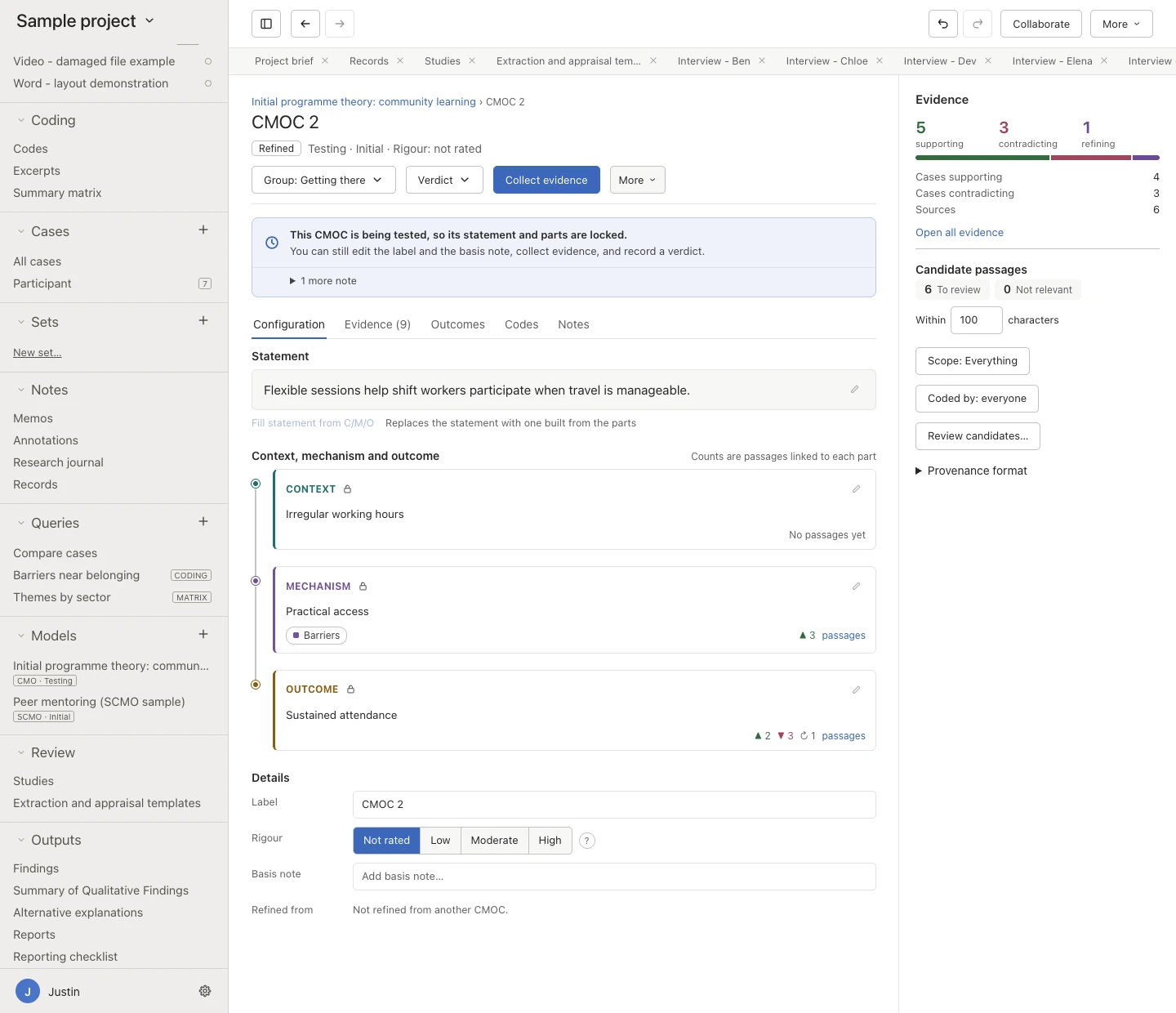
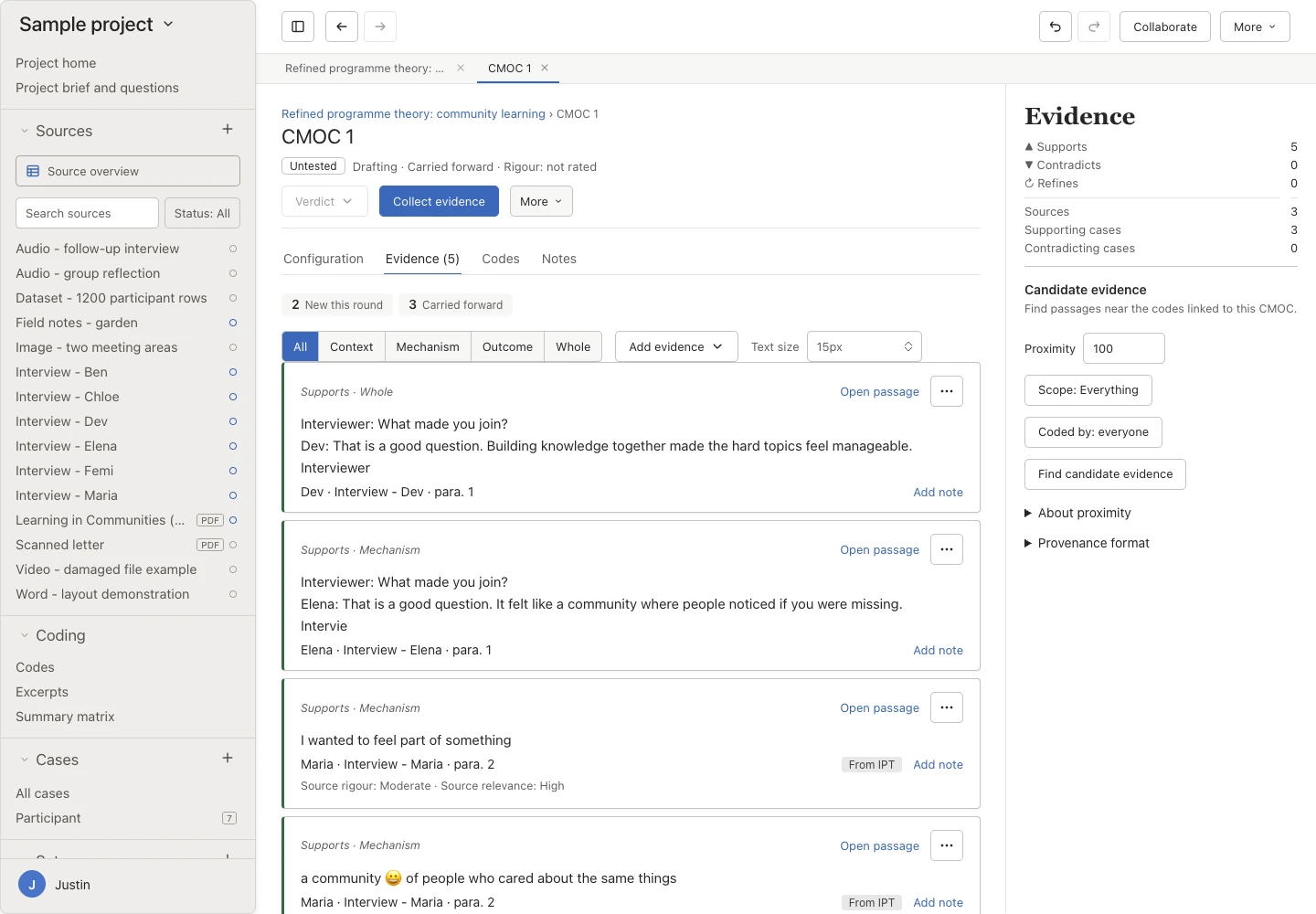
You can try this round yourself in the demo above, and explore the full sample theory on the Oriel overview.
Moving over
You don’t need to start again. Bring in an earlier project, a theory you have already written, or your references.
Bring in an existing programme theory as your initial theory, then test and refine it against your own data.
Import Windows .nvp or Mac .nvpx files without NVivo installed. A REFI-QDA .qdpx export or a codebook, preferably .qdc, restores names. Without one, some names may stay as placeholders.
Import and export REFI-QDA projects and codebooks. Formats organise projects differently, so some information is lost, and export back to NVivo is not fully supported.
Import RIS, BibTeX, or EndNote XML, paste a reference list, or look up a DOI. The Bibliography, under Outputs, shows every reference once, with the documents it belongs to, in APA 7, Harvard, Vancouver, or Chicago author–date style.


Oriel is made by Justin Aunger, a realist methodologist and health services researcher at the University of Birmingham. You can read about his realist and behavioural science research on the methods page.
Download Oriel, then follow the realist track in the quick start, from writing your first CMOCs to testing them.